How to Compress a PDF Online Free (2026 Guide)
Shrink a PDF that's too big to email or upload — free, no signup, no file-size limit, with a compression level you actually control.
Method 1: PDFCourt (100% Free Online)
RECOMMENDED✓ Best for: image-heavy PDFs, scanned documents, files too big to email
Why it's #1: free, no signup, no file-size limit on the free tier, and shows you the exact before/after size before you download.
Step-by-Step Instructions:
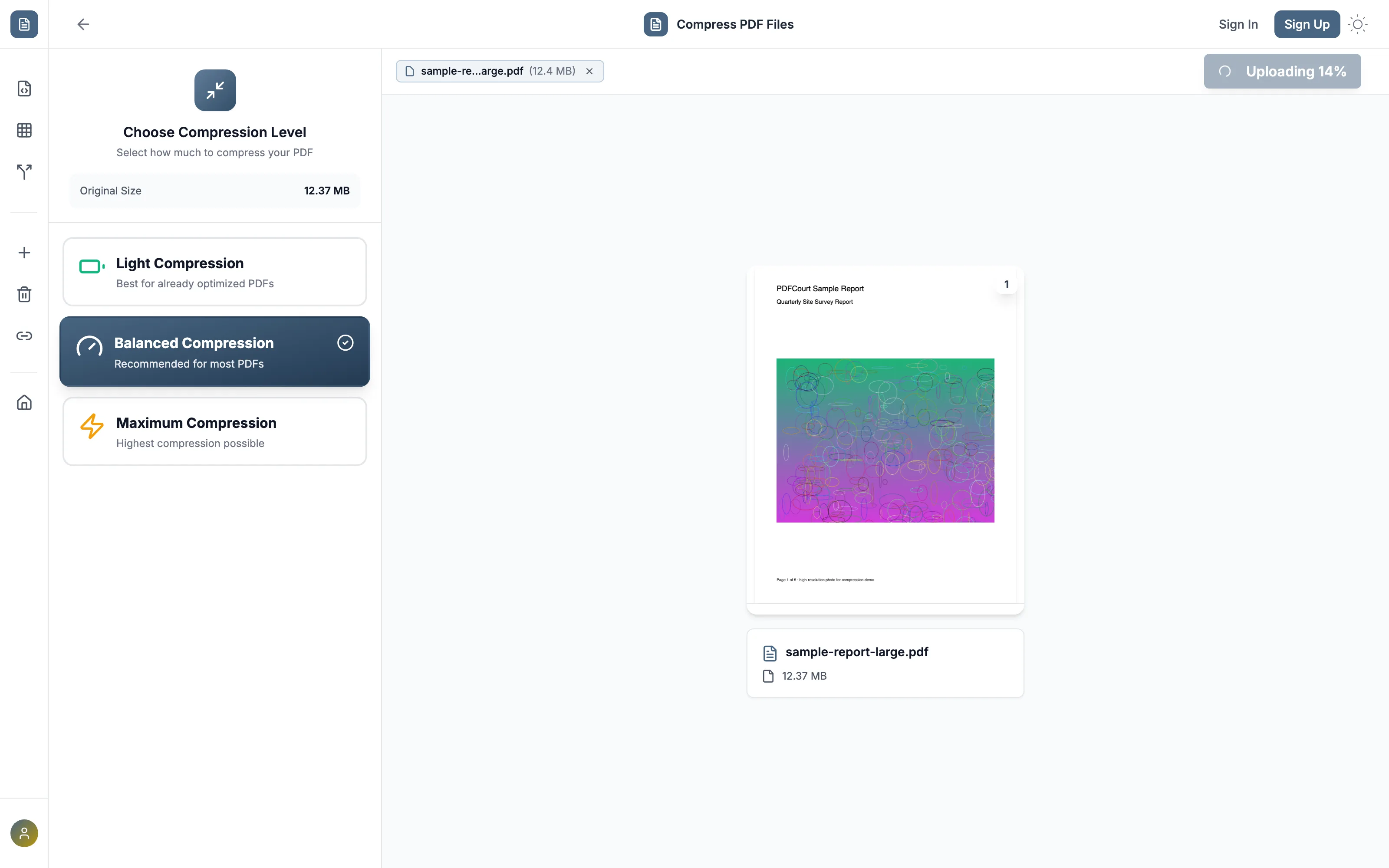
Open PDFCourt and upload your PDF
Visit PDFCourt.com/compress and drop in your file. Your original size shows immediately.
Pick a compression level
Light (already-optimized PDFs), Balanced (recommended for most files), or Maximum (highest compression possible). Maximum also offers an optional grayscale conversion for an extra 40-60% reduction on scanned documents where color isn't needed.
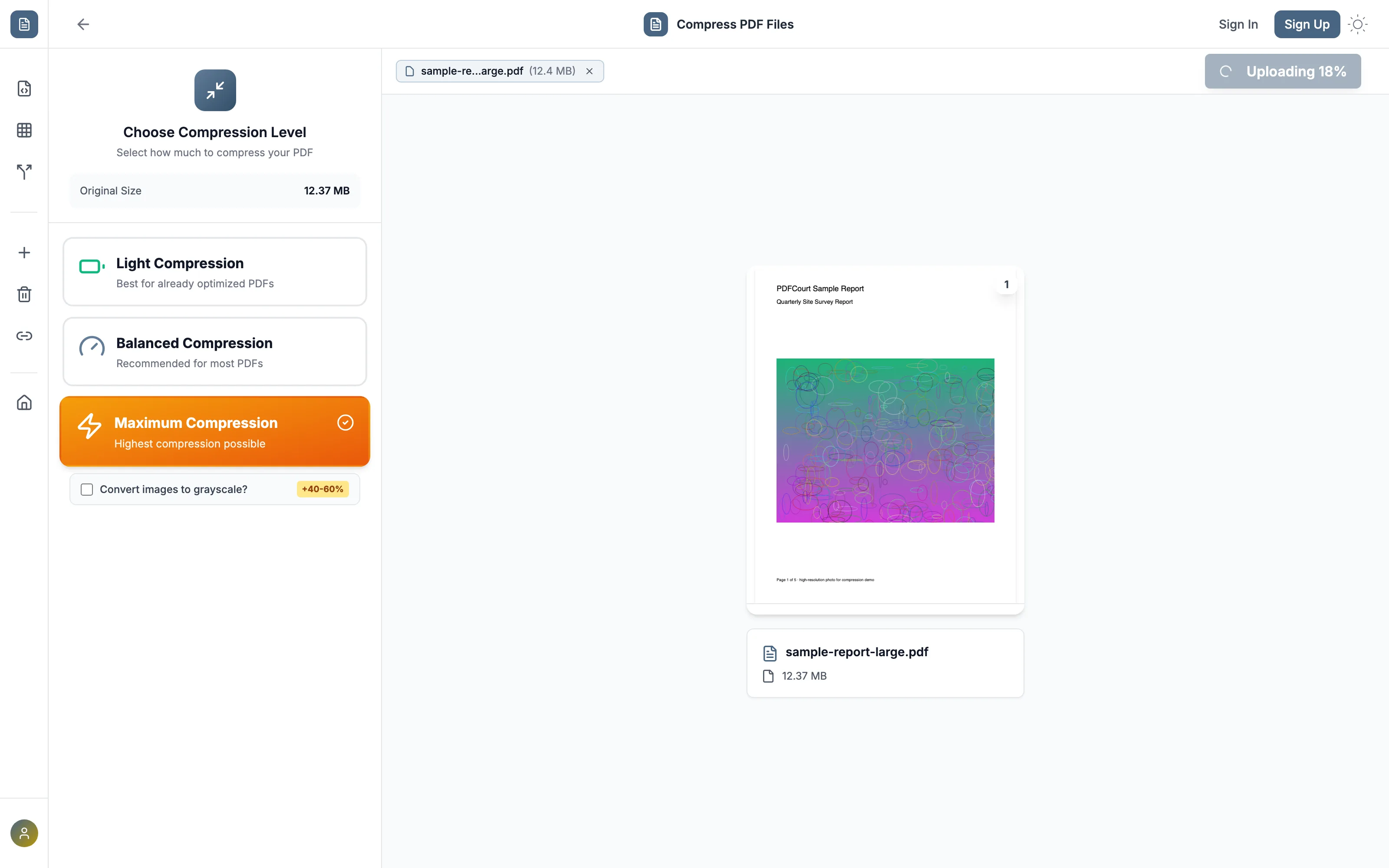
Click Compress PDF
PDFCourt re-encodes images and strips redundant data. Processing time scales with file size — a 12MB image-heavy report takes a few seconds.
Download the smaller file
You'll see the exact before/after size and percentage reduction before downloading.
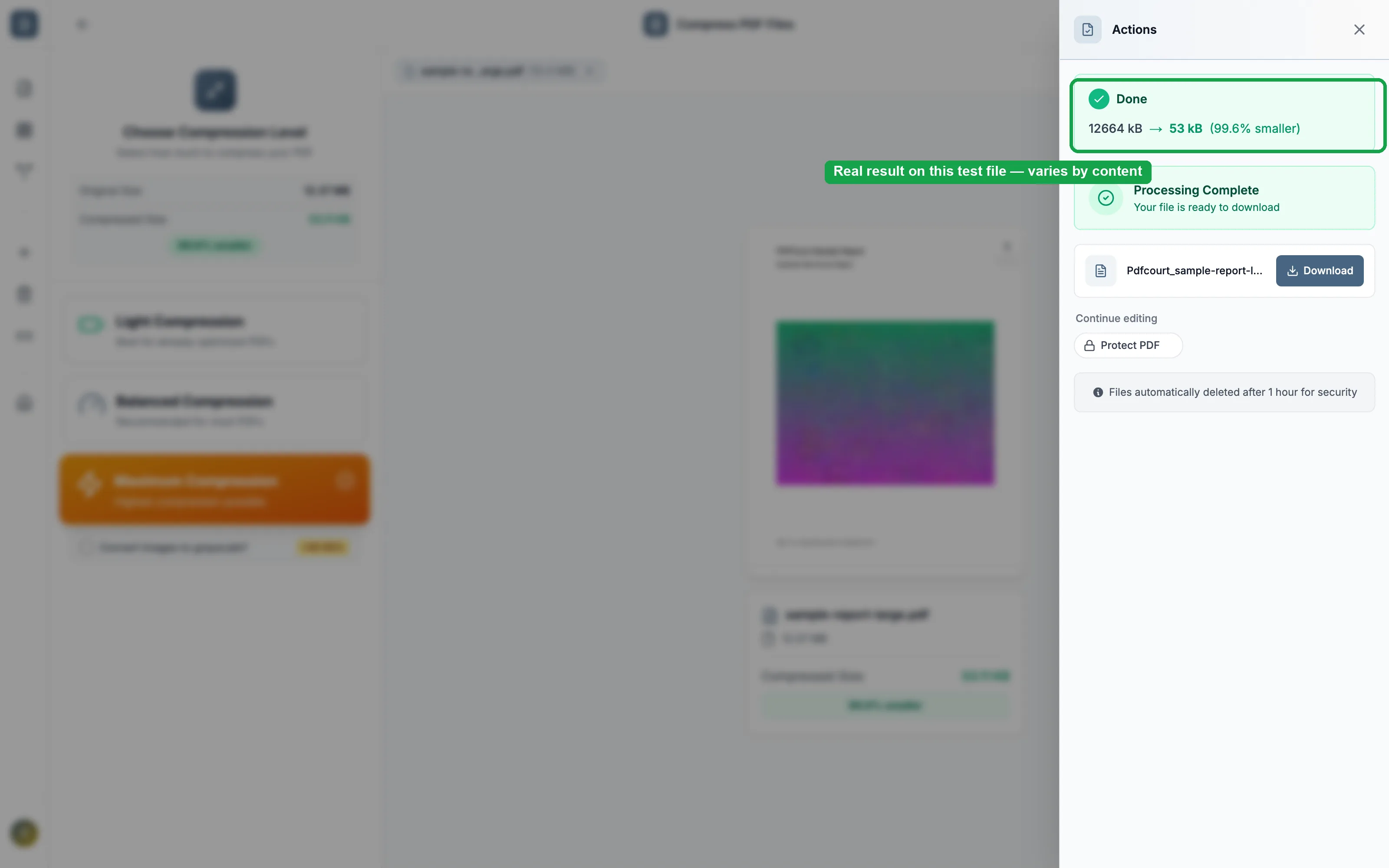
That 99.6% reduction is a real result on a test file that was almost entirely one large uncompressed image — most real-world PDFs (mixed text and photos) typically see 30-70% smaller, depending on content and level chosen.
Method 2: Adobe Acrobat DC (Paid Software)
Cost: $19.99/month or ~$240/year
Best for: organizations already paying for Adobe. Not worth subscribing just to shrink a file.
Steps:
- Open Adobe Acrobat DC (not the free Reader)
- Go to File → Save as Other → Reduced Size PDF
- Choose a version compatibility level
- Click OK and save
Note: the free Acrobat Reader cannot reduce file size. You need the paid DC version, and Acrobat doesn't show you the resulting size until after you've already saved the file.
Choosing a Compression Level
Light
Best for PDFs already optimized elsewhere — a safe pass that won't visibly change quality.
Balanced (recommended)
The right default for most PDFs — meaningful size reduction with no visible quality loss.
Maximum
Highest compression possible — best when the file just needs to get under an upload/email size limit. Add grayscale for scanned documents.
One thing to watch for: compression mostly works on embedded images — a PDF that's already almost all text won't shrink much regardless of level, because there isn't much image data left to re-encode.
Comparison: Which Method Should You Use?
| Method | Cost | File Size Limit | Shows Before/After Size | Works On |
|---|---|---|---|---|
| PDFCourt | Free | None | Yes | All devices |
| Adobe Acrobat | $20/mo | Software-dependent | Only after saving | Win/Mac |
🏆 Winner: PDFCourt
The only free option with no file-size limit and a clear before/after size shown before you commit.
Frequently Asked Questions
How does PDF compression work?
PDFCourt optimizes images, removes redundant data, and applies smart compression algorithms while maintaining document quality.
How much can I reduce my PDF size?
It depends heavily on content — typically 30-70% for a mixed text/image document, with image-heavy files seeing the largest reductions.
Will compression affect document quality?
PDFCourt offers different compression levels so you can choose between maximum compression or optimal quality based on your needs.
Is there a file size limit for compression?
No — there's no file size limit on the free tier. Compress PDFs of any size.
Do I need Adobe to compress a PDF?
No — PDFCourt compresses directly in your browser, free, with no Adobe Acrobat or other software required.
Conclusion: Best Way to Compress a PDF Free in 2026
No File Size Limit
Compress any size PDF on the free tier.
100% Free Forever
No hidden costs, no trials, no upsells.
Three Levels + Grayscale
Control exactly how aggressive the compression is.
Ready to Shrink Your PDF?
Try PDFCourt's compression tool — free, no signup.
Compress a PDF Now — It's Free →