How to Link Pages in PDF (The "Visual" Way)
Want to click "See Exhibit A" and jump straight to page 42? You don't need to pay Adobe $20/month for that. Here is the fastest, free way to link pages in a PDF online.
The 3-Step "Visual" Method
Most tools ask for a "Page Number". We don't. We let you see where you are linking.
- Upload your PDF to PDFCourt JumpLinks
- Draw a box over the text you want to click (e.g., "Table of Contents")
- Scroll to the destination and draw a target box. Done.
Why is "Linking Pages" so hard in other tools?
If you've used other PDF editors (like Adobe Acrobat or generic online tools), you know the pain:
- The "Memory Game": They ask you to "Enter Page Number". You have to scroll down, find the page, write it down, scroll back up, and type it in.
- The Cost: Adobe charges ~$240/year for this simple feature.
- The Complexity: Buried under 7 layers of menus.
Step-by-Step Guide: Creating Internal Links
1. Upload your Document
Go to the JumpLinks Tool. It's fast and secure — your file is uploaded over an encrypted connection and auto-deleted after your session.
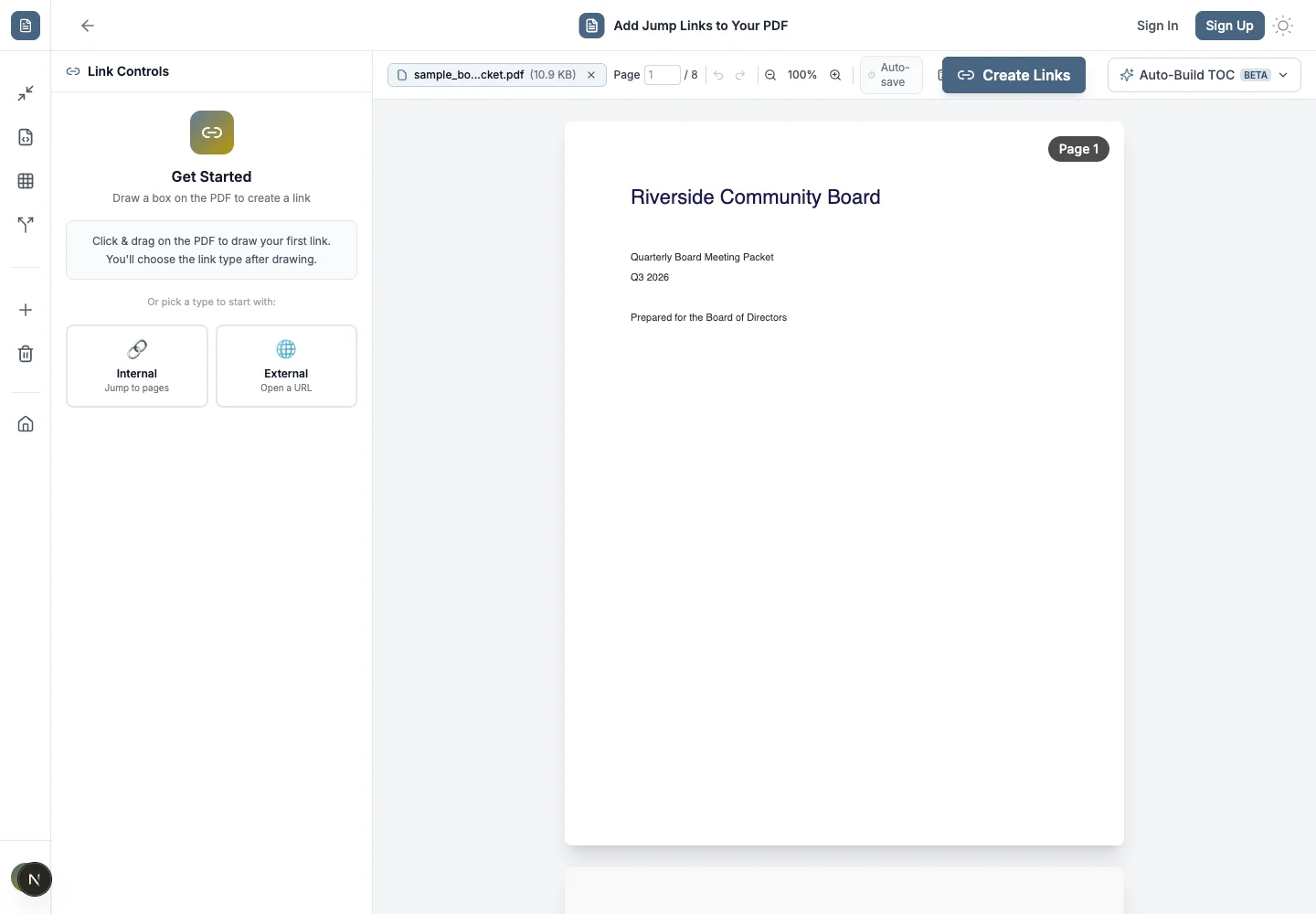
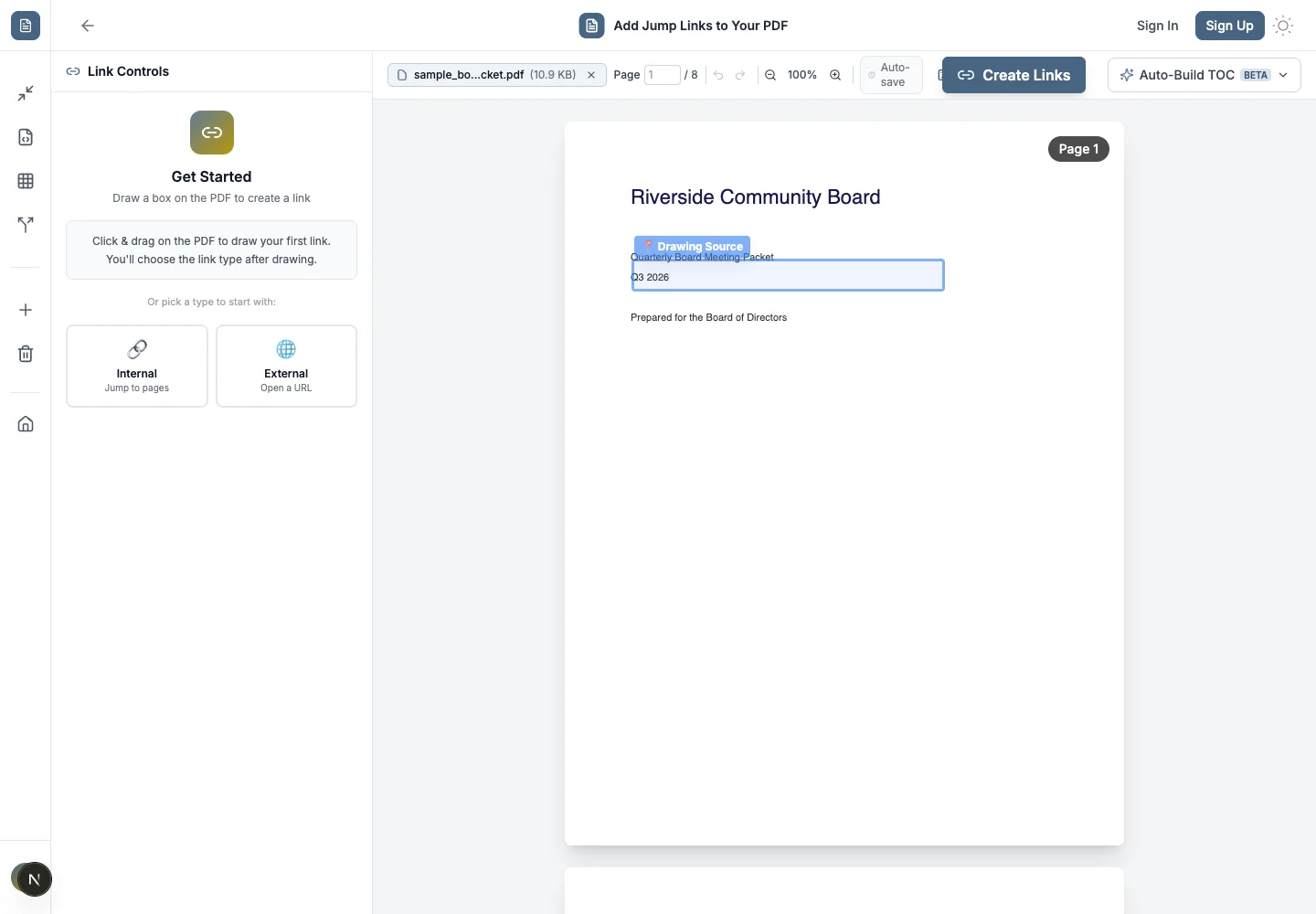
2. Create the "Trigger" (Source)
Find the text or image you want to make clickable.
Example: The line "See Appendix B" in your contract.
Simply click and drag to draw a blue box around it.
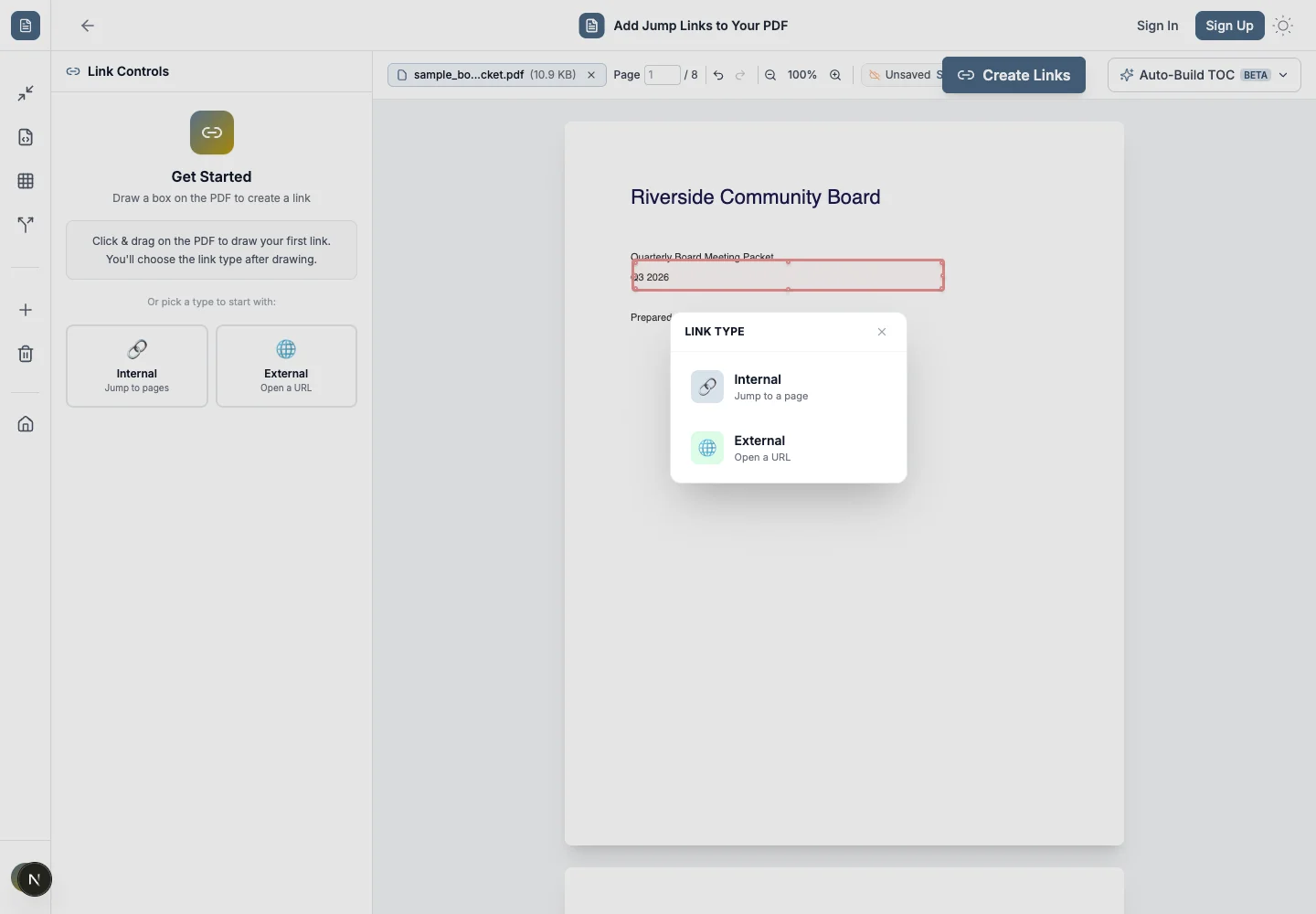
3. Set the "Destination" (Target)
Here is the magic part. Do not type a page number.
Just scroll down to Appendix B.
Draw a green box around the appendix title.
That's it. The two are now linked.
Common Use Cases
⚖️ Legal & Contracts
Link "Defined Terms" to the Definition section. Link "Exhibits" to the actual attachment.
🎓 Thesis & Research
Link citations [1] to the Bibliography. Link "Figure 3" to the actual chart.
🏠 Real Estate
Link "Kitchen" on a floor plan to the page with kitchen photos.
📦 Product Catalogs
Link product names in the Table of Contents to their spec sheets.
FAQ: Linking Pages in PDF
- Do these links work in Adobe Acrobat?
- Yes. We use standard PDF specification hyperlinks. They work in Chrome, Edge, Preview, Acrobat, and on mobile phones.
- Can I link to a website instead of a page?
- Yes. When you draw your box, simply switch the mode to "External Link" and paste your URL.
- Is it free?
- Yes. PDFCourt is free to use with no hidden paywalls for basic linking tasks.
Related Guides
Ready to organize your PDF?
Stop scrolling. Start linking. It takes seconds.
Create PDF Links Now →No sign-up required